If you need to automatically assign a document number to your generated documents according to a certain pattern, you can easily do so by leveraging elDoc Counters functionality. To get started, navigate to the Document and Workflow Automation Module, then proceed to Configuration and click on Counters. From there, you can edit or create a new pattern for assigning a unique registration number to your documents. A short tutorial will guide you quickly on how to do it.
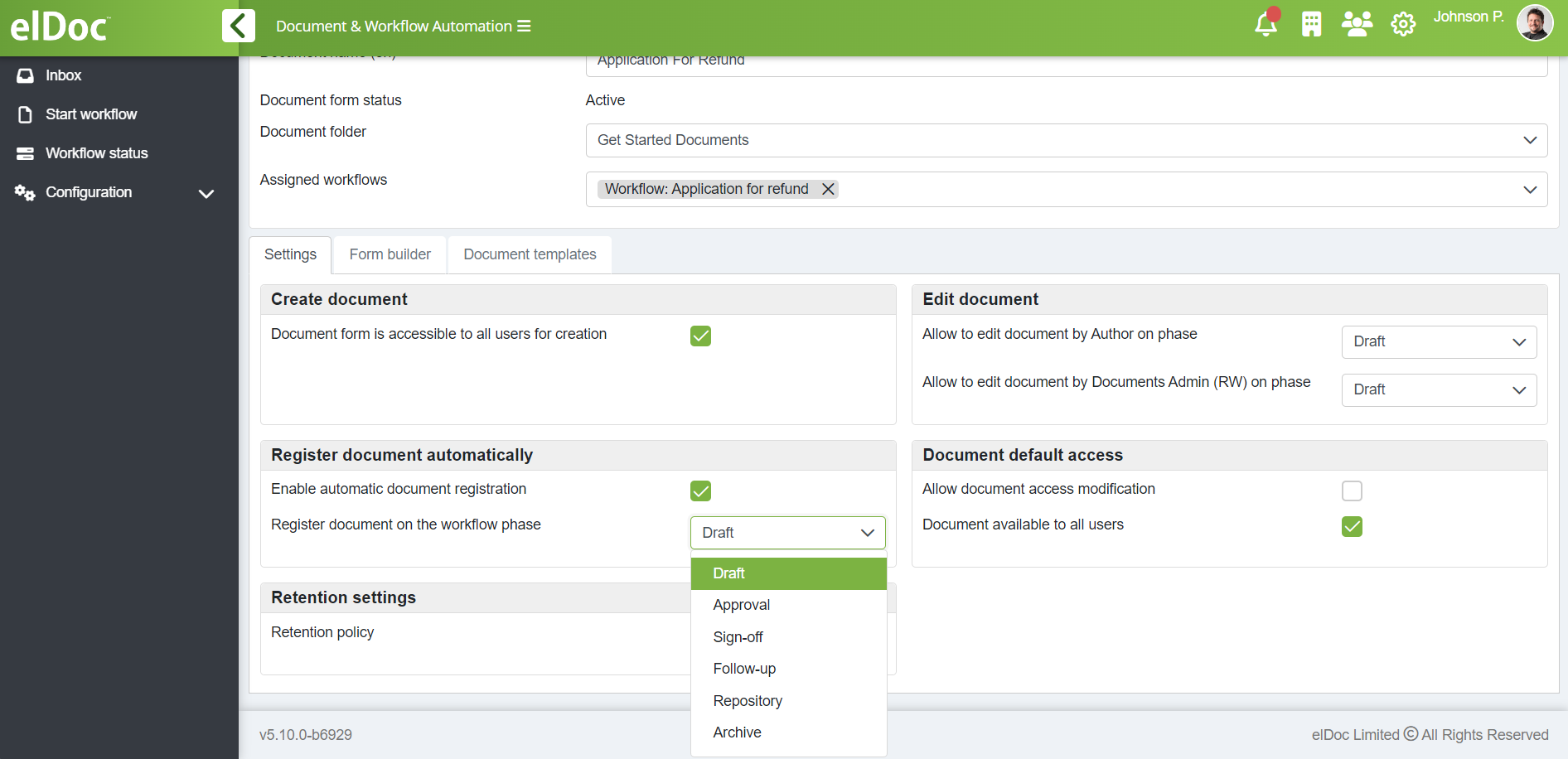
In addition, you can specify at which phase you want the elDoc system to automatically assign registration numbers. To set this up, follow these steps:
- Navigate to the Document and Workflow Automation Module.
- Go to Configuration and click on Form Designer.
- Select the document form for which you want to enable automatic registration number assignment.
- In the settings, check the box to enable automatic registration.
- Choose the phase at which you want the registration number to be assigned automatically: Draft, Approval, Sign-Off, Follow-up, Repository, or Archive.
This setup allows you to tailor the registration process to fit your workflow needs.