With Automatic AI Extraction, elDoc automatically understands the uploaded document, identifies its content, and extracts relevant data without requiring you to define individual fields in advance.

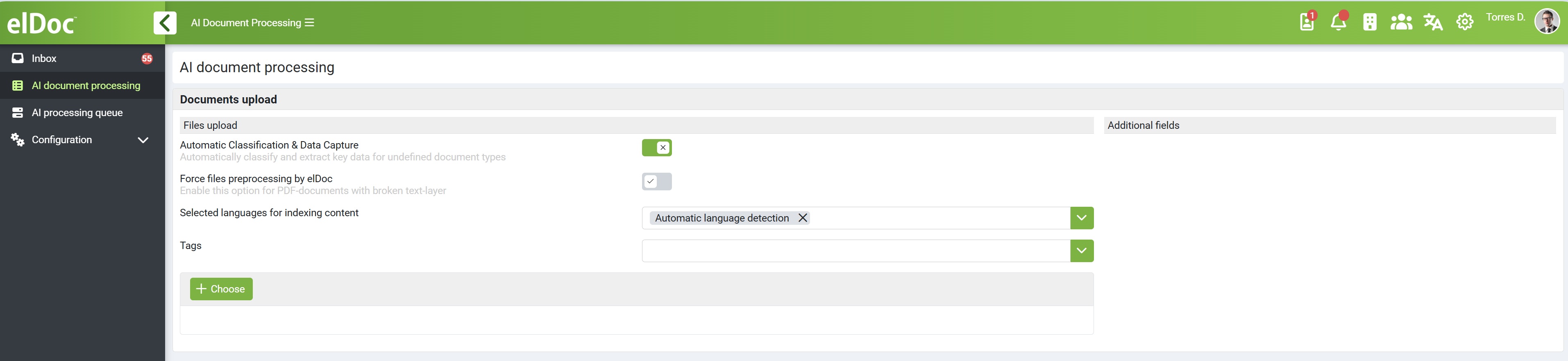
To start processing, go to the AI Document Processing module, click on AI Document Processing and upload one or multiple documents. Make sure that Automatic Classification & Data Capture is enabled before uploading your files.

Once uploaded, documents are automatically added to the AI Processing Queue. Intelligent Document Processing is a computing- and resource-intensive operation, so documents are processed in a queued manner.

You can monitor the processing status and review the extracted results in the AI Processing Queue once processing is complete.

IMPORTANT

Processing Time: For Cloud (SaaS) deployments, processing time depends on your subscribed package and applicable AI processing SLA. For On-Premise deployments, processing performance depends on the allocated infrastructure and computing resources, particularly the GPU configuration.
For more details on document upload, processing stages, AI extraction, and data validation, please refer to the relevant sections of the full elDoc documentation: AI Document Processing – Detailed Capabilities