Once AI Document Processing is complete including document recognition, data extraction, processing, and, where required, Human-in-the-Loop (HITL) validation - elDoc can automatically trigger an additional workflow for further review and approval. Approval workflows can include multiple users or teams, with approval steps configured to run sequentially, in parallel, or in combination, supporting complex review and approval scenarios.

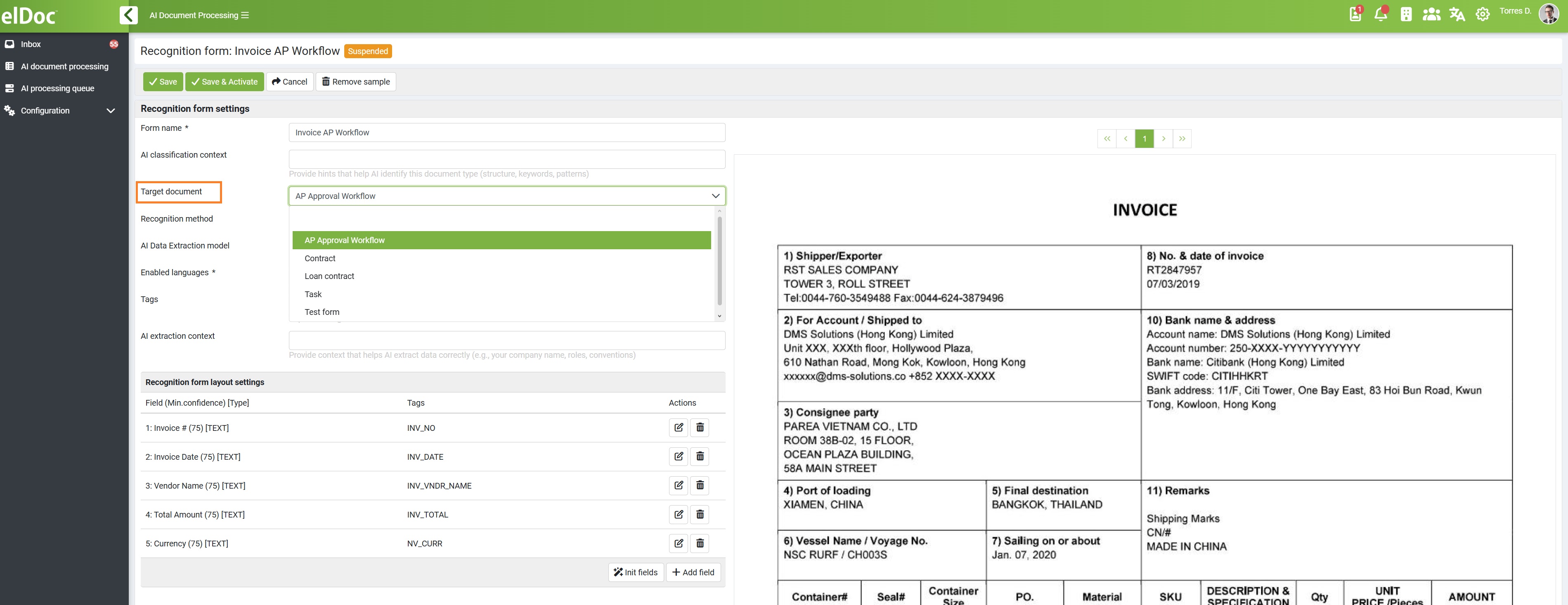
To enable automatic workflow triggering, the required configuration must first be completed in Form Design and Workflow Design. Then, in the Recognition Form settings, select and assign the corresponding workflow under Target Document. 

For detailed instructions on configuring forms, workflows, and approval steps, please refer to the relevant sections of the full elDoc documentation: Auto-Trigger Workflows with AI Document Classification

Note: Auto-Triggering Workflows with AI Document Classification requires the Document Workflow Automation Module to be included in your subscription. This enables the AI Document Processing and Document Workflow Automation modules to work together as one connected process from AI classification and data extraction through validation, review, and final approval.